Multi-Document Comparison in Zotero
From Dozens of PDFs to a Draft in Seconds: Introducing the PapersGPT Zotero Plugin
Writing a literature review is one of the most time-consuming parts of academic research. You spend hours reading papers, taking notes, and then trying to synthesize disparate ideas into a coherent narrative. The process is manual, fragmented, and often overwhelming.
What if you could automate the most tedious parts of this process? What if your reference manager could not only store your sources but also read, understand, and summarize them for you?
This is now a reality with the PapersGPT Zotero Plugin. This powerful integration brings advanced AI directly into your research library, transforming your literature review workflow from a multi-week chore into a focused, efficient task.
The Old Way vs. The PapersGPT Way
To understand the power of this plugin, let’s compare the workflows.
| The Traditional Literature Review Workflow | The PapersGPT Zotero Plugin Workflow |
|---|---|
| Manually open and read 5-50 PDFs. | Select 5-50 PDFs in your Zotero library. |
| Switch to a separate app (Word, Notion) for notes. | Right-click and select "Generate Literature Review." |
| Copy-paste key quotes and try to organize them. | Write a single prompt (e.g., "Synthesize these papers on the topic of AI ethics in healthcare"). |
| Struggle to find thematic connections between papers. | PapersGPT reads and analyzes all selected documents. |
| Spend hours writing a first draft from messy notes. | Receive a fully synthesized draft with in-text citations in a few seconds. |
The PapersGPT plugin doesn't just save time; it elevates the quality of your synthesis by identifying connections you might have missed.
How It Works: Your Step-by-Step Guide
Getting started is simple. The plugin is designed to feel like a natural extension of the Zotero you already know and love.
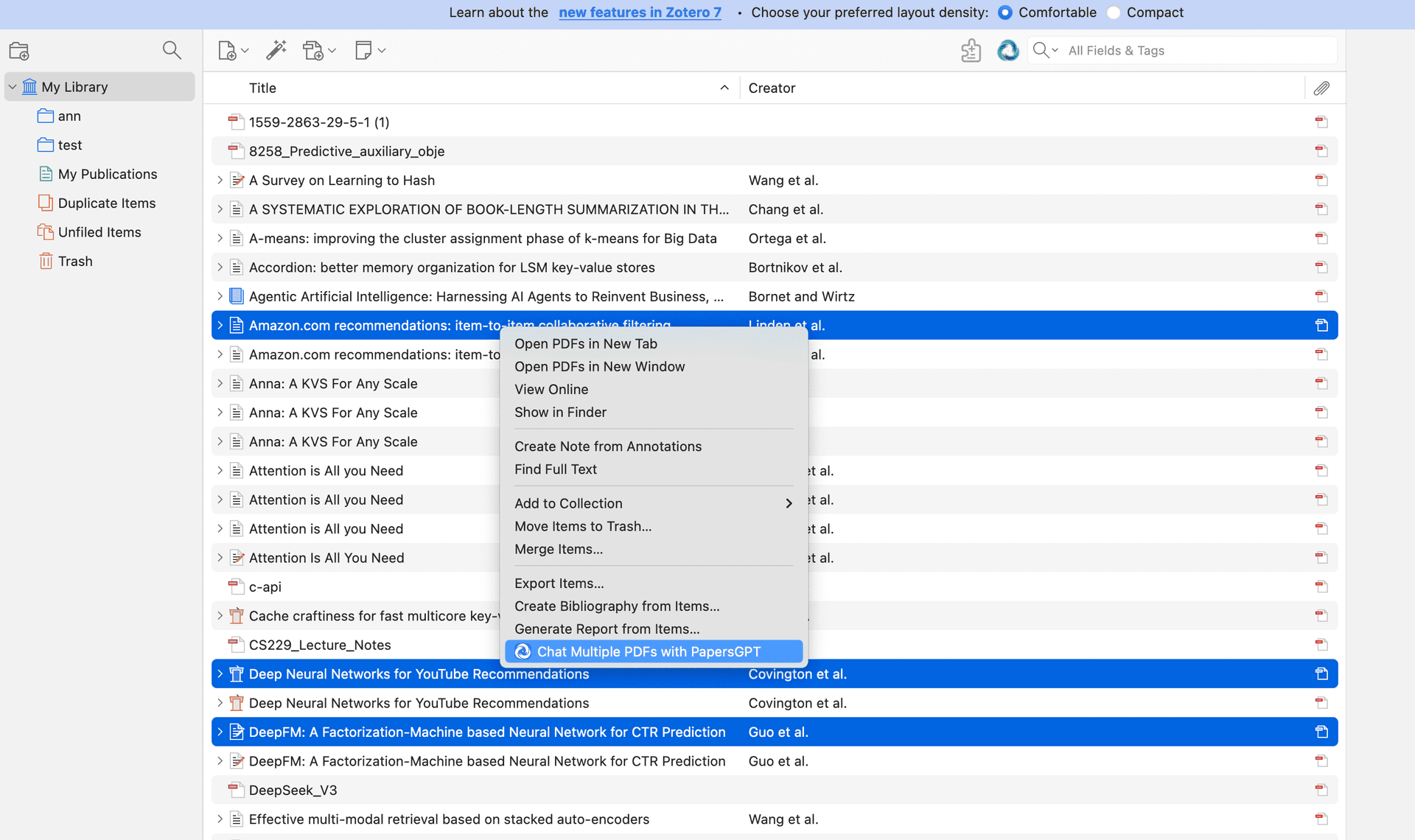
Step 1: Multi-Select Papers in Zotero
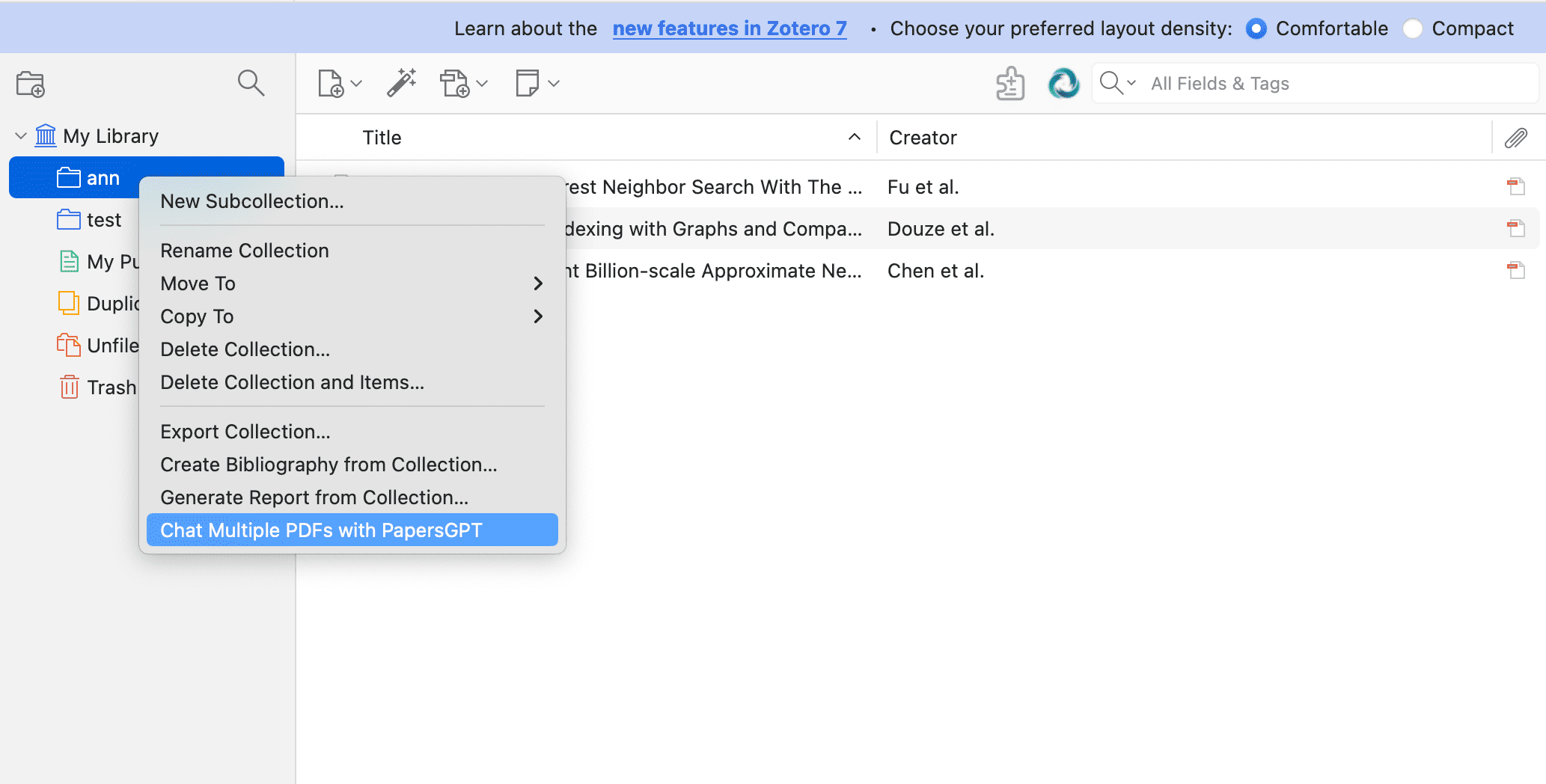
Hold Ctrl/Command to multi-select several papers, or pick an entire collection. No MCP server or command line to install — indexing and retrieval run directly inside the PapersGPT plugin.
Pro Tip: Use Zotero's collections to pre-organize papers by theme before you even begin.
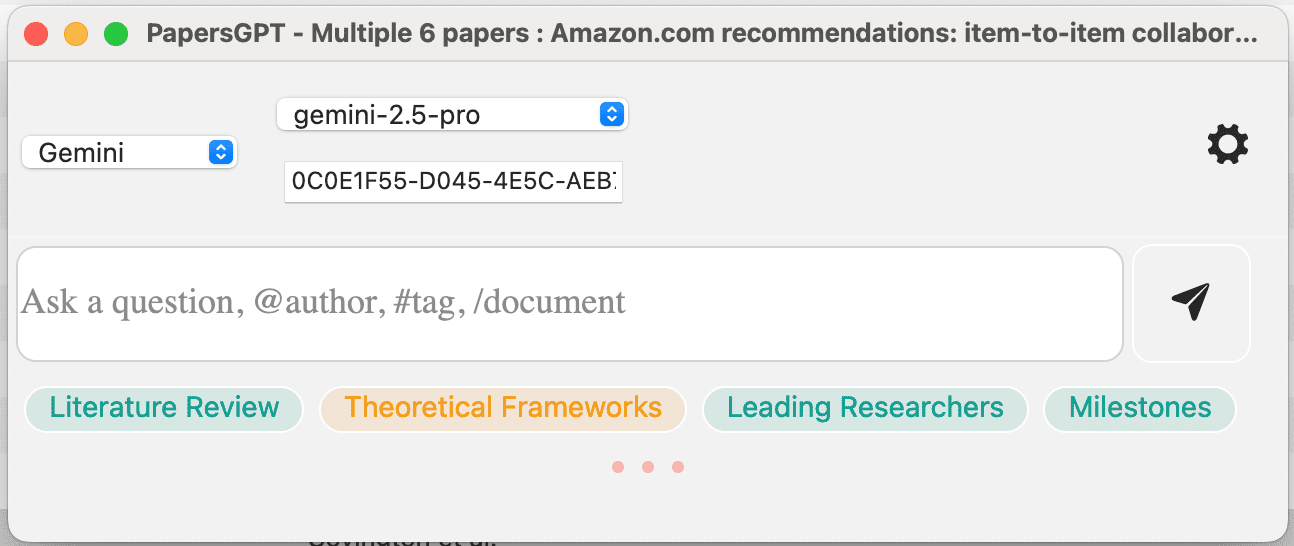
Step 2: A Prompt Pops Up in the Sidebar (New in v2.1.0)
The moment you multi-select papers or click a collection, the multi-document comparison prompt box pops up in the sidebar — click it to start. You can also launch the old way: right-click the selection and use the PapersGPT menu.