Zotero MCP Server
MCPServer.intro
Since v4.0, the Zotero MCP server is built on DocsAgent that enables AI agents to connect and search papers in your Zotero library.
Detailed Guide Available:
Check out our guide to Zotero MCP Server 4.0: JavaScript and Python shells over a resident C++ core, with no need to open Zotero.
Read the Zotero MCP Server 4.0 Guide →To configure it, add one of the following to your MCP settings.
1. JavaScript / Node (npm) — start the search core, then register the server:
npx @docsagent/mcp-zotero start
{
  "mcpServers": {
    "docsagent-zotero": {
      "command": "npx",
      "args": [
        "-y",
        "@docsagent/mcp-zotero"
      ]
    }
  }
}
2. Python (3.10+) — same tools, same C++ core:
pip install docsagent-mcp-zotero
docsagent-mcp-zotero core start
{
  "mcpServers": {
    "docsagent-zotero": {
      "command": "docsagent-mcp-zotero",
      "args": []
    }
  }
}
Note: both shells share one config file at ~/.docsagent/config.json (override with DOCSAGENT_CONFIG). Set zoteroDataDir there if your Zotero data directory is not the default ~/Zotero, and set enableWrites to true if you want the write tools registered.
From v0.3.4 to v0.5.1, PapersGPT supports MCP Server via SSE server. This means that any chatbot client, such as ChatWise, Cherry Studio, Cursor, Gemini CLI, etc., that supports MCP SSE Server can connect to your personal Zotero library through PapersGPT on any Mac, Windows, or Linux system.
How to access your personal Zotero library in popular AI chatbots through PapersGPT?
Start the search core (the Zotero plugin is optional)
Run "npx @docsagent/mcp-zotero start" (JavaScript) or "docsagent-mcp-zotero core start" (Python) to launch the resident search core. Indexing and search read your Zotero data directory directly, so Zotero does not have to be open. Install the PapersGPT plugin in Zotero only if you also want the agent to import items, add notes or retag papers.
Configure the PapersGPT MCP Server in your AI chatbot
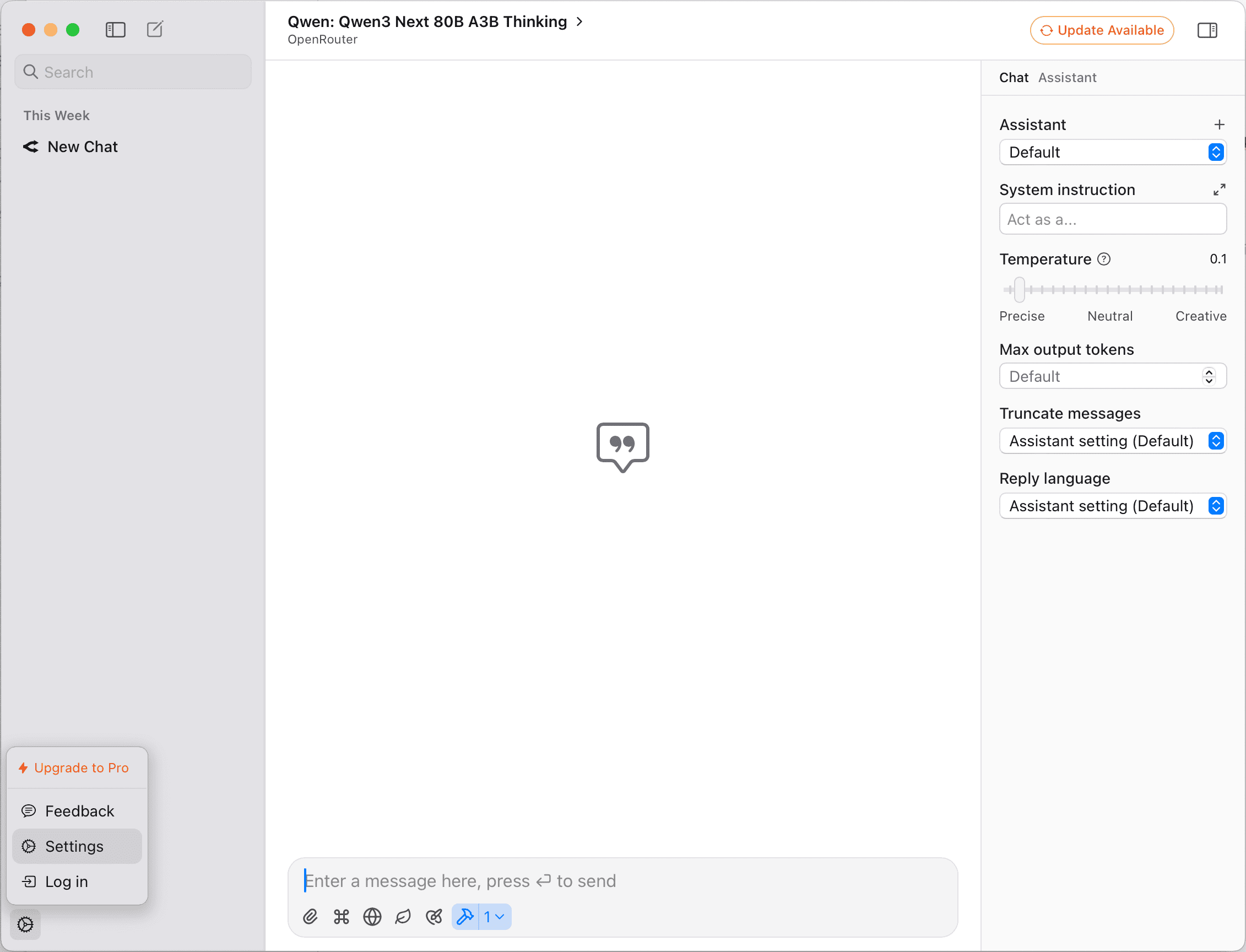
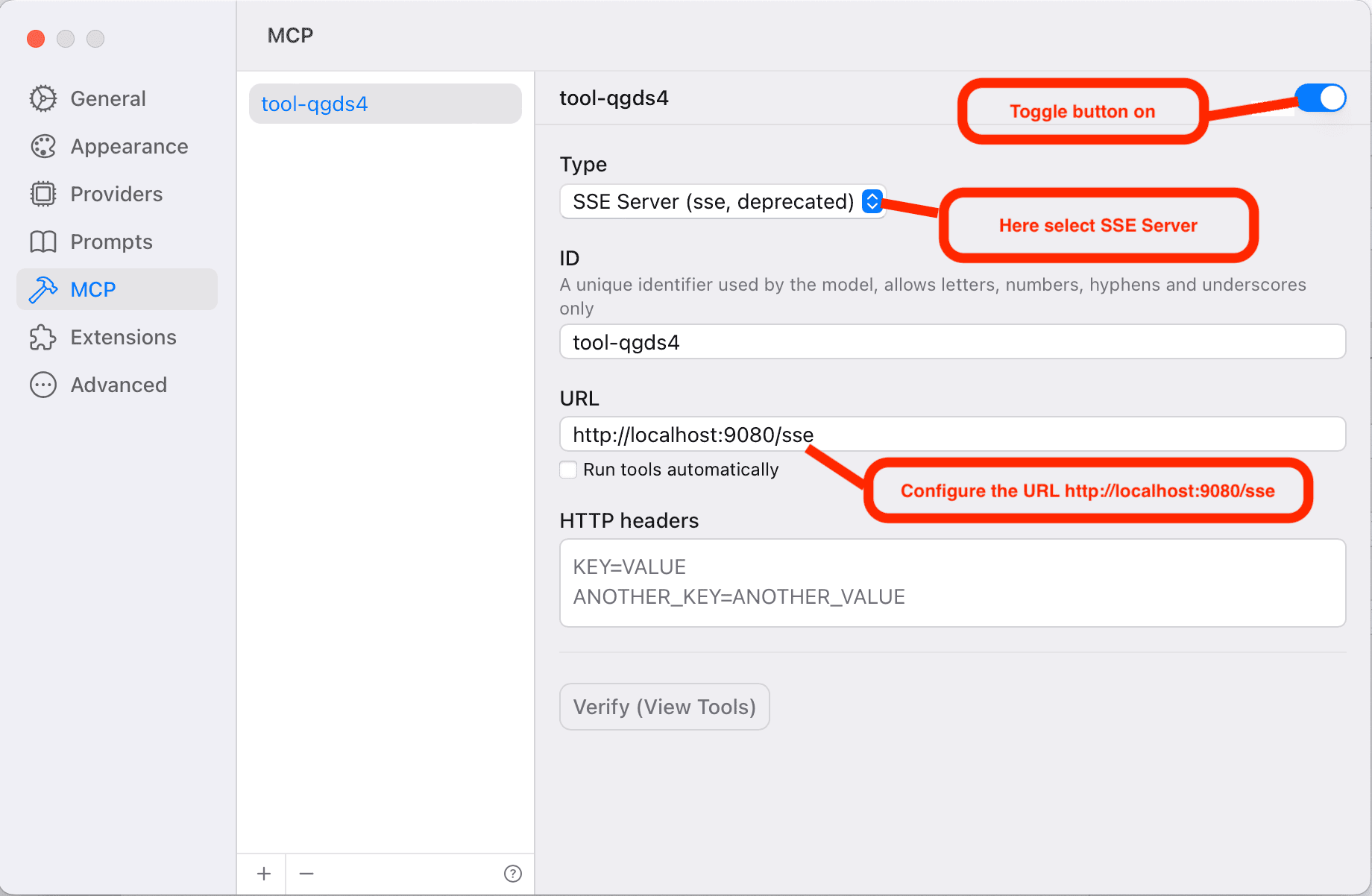
Here, take the AI chatbot ChatWise as an example, you can configure your settings about PapersGPT MCP server as the pictures below:
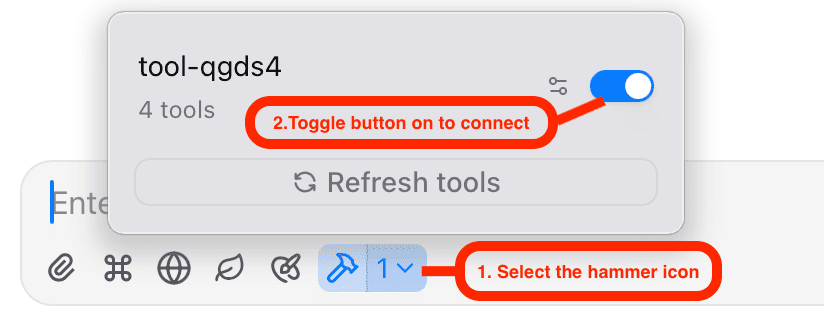
In the chat dialog configuration, confirm that you are connecting the PapersGPT's MCP Server.
In some chatbots, such as ChatWise, Cherry Studio, There is an option to confirm whether to use the mcp connection at the bottom of the chat dialog box. You need to confirm again before the chat conversation. While in some chatbots like Gemini Cli, once configured, all are triggered automatically. Here still take ChatWise as an example, the concrete configures are shown below:
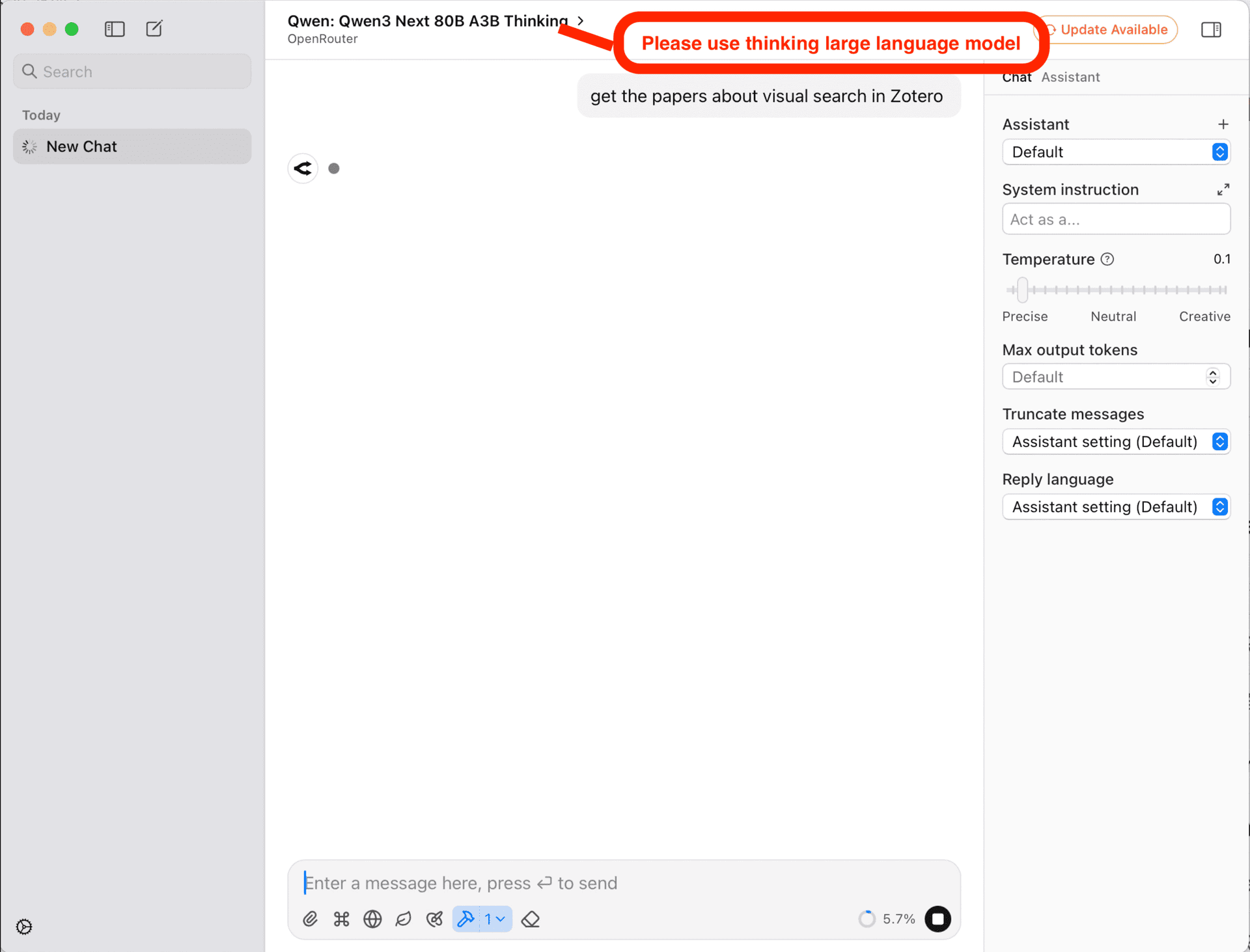
Select a thinking large language model and input the prompt related to zotero
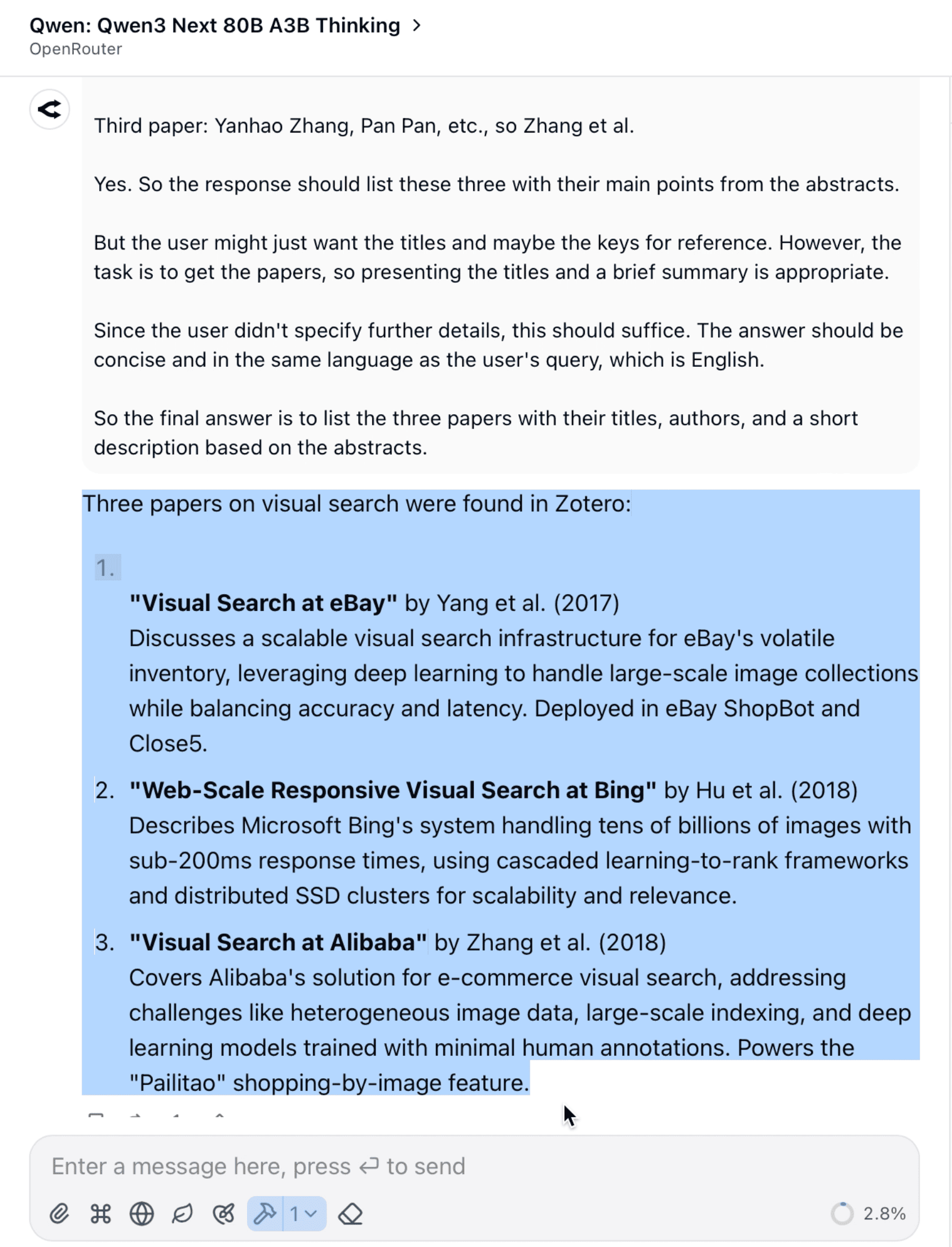
In order to invoking MCP server automatically by LLM, when chatting you should choose a thinking model, such as GPT 5, Gemini 2.5 thinking, DeepSeek V3.1, or Qwen3 Next 80B A3B Thinking and etc. Besides selecting a thinking model, you should input some prompts like 'search papers about *** in Zotero', 'get the papers about *** in my Zotero'. The query you enter should preferably contain the word 'Zotero' to trigger the smart LLM to automatically invoke the PapersGPT MCP server. Here still take ChatWise as an example, selecting Qwen3 Next 80B A3B Thinking model provided by OpenRouter, and the responding result is shown below:
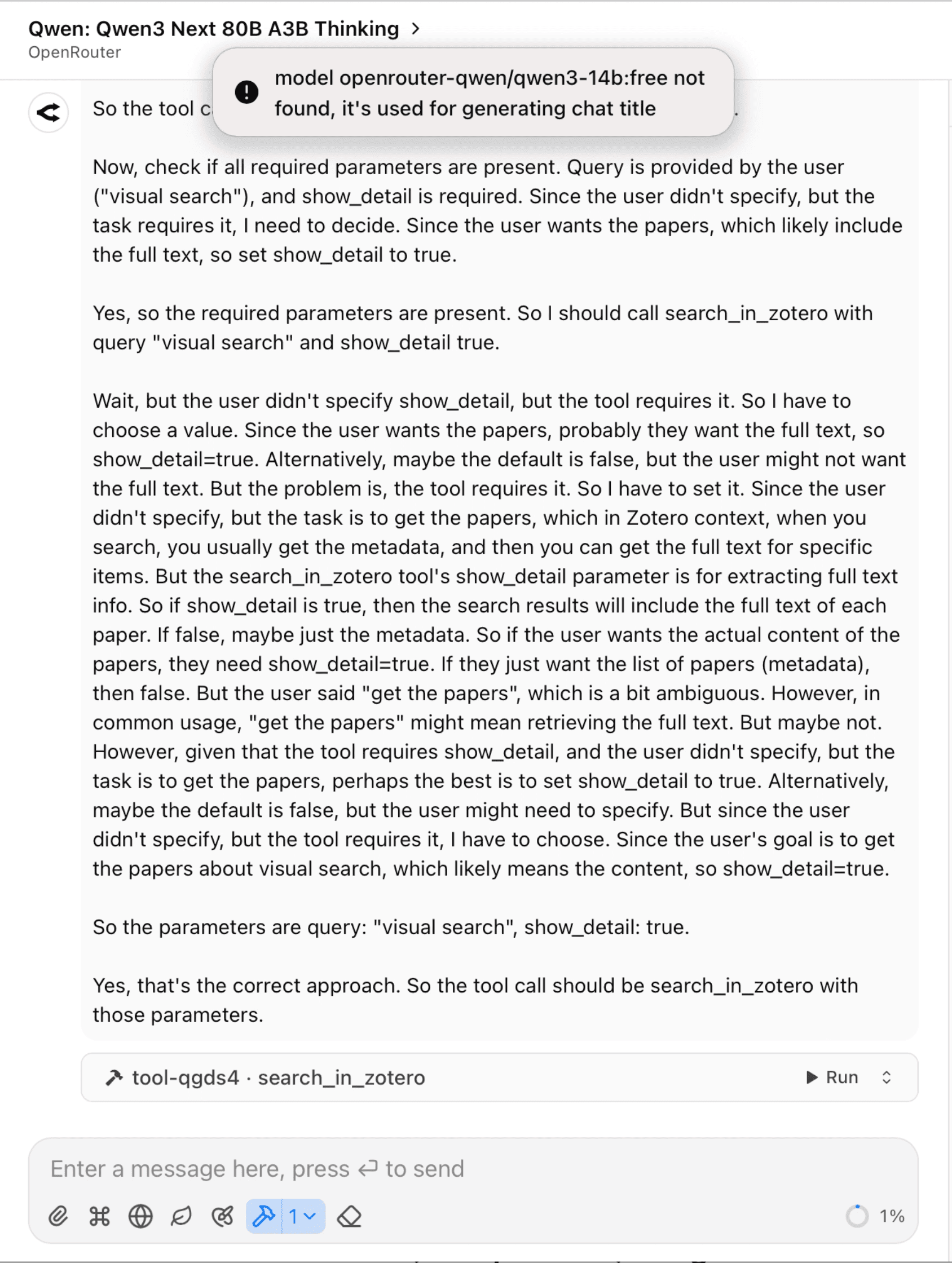
In ChatWise, when the MCP server is to be invoked, it will remind the user to manually confirm and trigger.